The launch monitor is the most important purchase in your entire simulator build. Get it wrong and every round you play gives you bad data. Get it right and you have a system that will actually improve your game — or at minimum, tell you the truth about it.
The problem is that the market is flooded with options at every price point, and most buying guides are either written by people who've never installed one or are quietly affiliate-motivated toward whatever pays the best commission.
We've installed launch monitors from a $500 Garmin R10 to $85,000+ Golfzon commercial systems. Here's the honest breakdown.
What a Launch Monitor Actually Measures
A launch monitor captures data at and immediately after impact, then uses that data to calculate or simulate ball flight. Here's what it's actually tracking:
- Ball speed — how fast the ball leaves the face
- Launch angle — the vertical angle the ball launches at
- Spin rate — total revolutions per minute
- Spin axis — the tilt of the spin (determines draw/fade curve)
- Club head speed — how fast the club is moving at impact
- Smash factor — efficiency ratio of ball speed to club speed
- Club path and face angle — direction the club is swinging vs. where the face is pointing
- Carry and total distance — calculated from the above
Consumer monitors typically measure ball data accurately and estimate club data. Premium monitors measure both directly. That gap matters significantly if you're working with a coach or fitting equipment — less so if you're playing casual rounds.
Two things determine accuracy: what the sensor captures (camera vs. radar) and where it's positioned relative to impact. Both matter a lot.
The Three Types
Photometric (Camera-Based)
Indoor SpecialistHigh-speed cameras capture the ball and club at the moment of impact. The system reads dot patterns on the ball to calculate spin, and tracks club face data through the impact zone. Extremely accurate indoors. Low latency — the shot appears on screen fast.
What's good:
- Best accuracy for indoor use, especially spin data
- Slow-motion club impact replay on most systems
- Works with both left and right-handed players seamlessly
- No radar interference issues
What to know: Requires adequate lighting. Some systems use marked balls, which adds a small ongoing cost. Doesn't track full ball flight — it calculates it from impact data.
Who it's for: Anyone building a dedicated indoor simulator who wants the most accurate data for the money.
Examples: Foresight Sports GCQuad, GC3, GCHawk — Uneekor Eye XO, Eye XO2, Eye Mini
Radar (Doppler)
Indoor + OutdoorRadar tracks the ball through the air using Doppler technology. It needs space behind the golfer to get a clean read — typically 8–10 feet of ball flight before the sensor has enough data. This means your sim room needs more depth than a camera-based setup.
What's good:
- Works outdoors as well as indoors
- Tracks actual ball flight, not calculated flight
- Highly portable — take it to the range or the course
What to know: Indoor radar performance is heavily affected by room size. In a tight space, accuracy suffers. Also sensitive to metal buildings and certain lighting conditions. Typically requires more ceiling height.
Who it's for: Golfers who want one device that works both indoors and outdoors, or coaches who need portability.
Examples: Trackman 4, Full Swing KIT, Garmin R10 (budget), Bushnell Launch Pro
Overhead (Ceiling-Mounted)
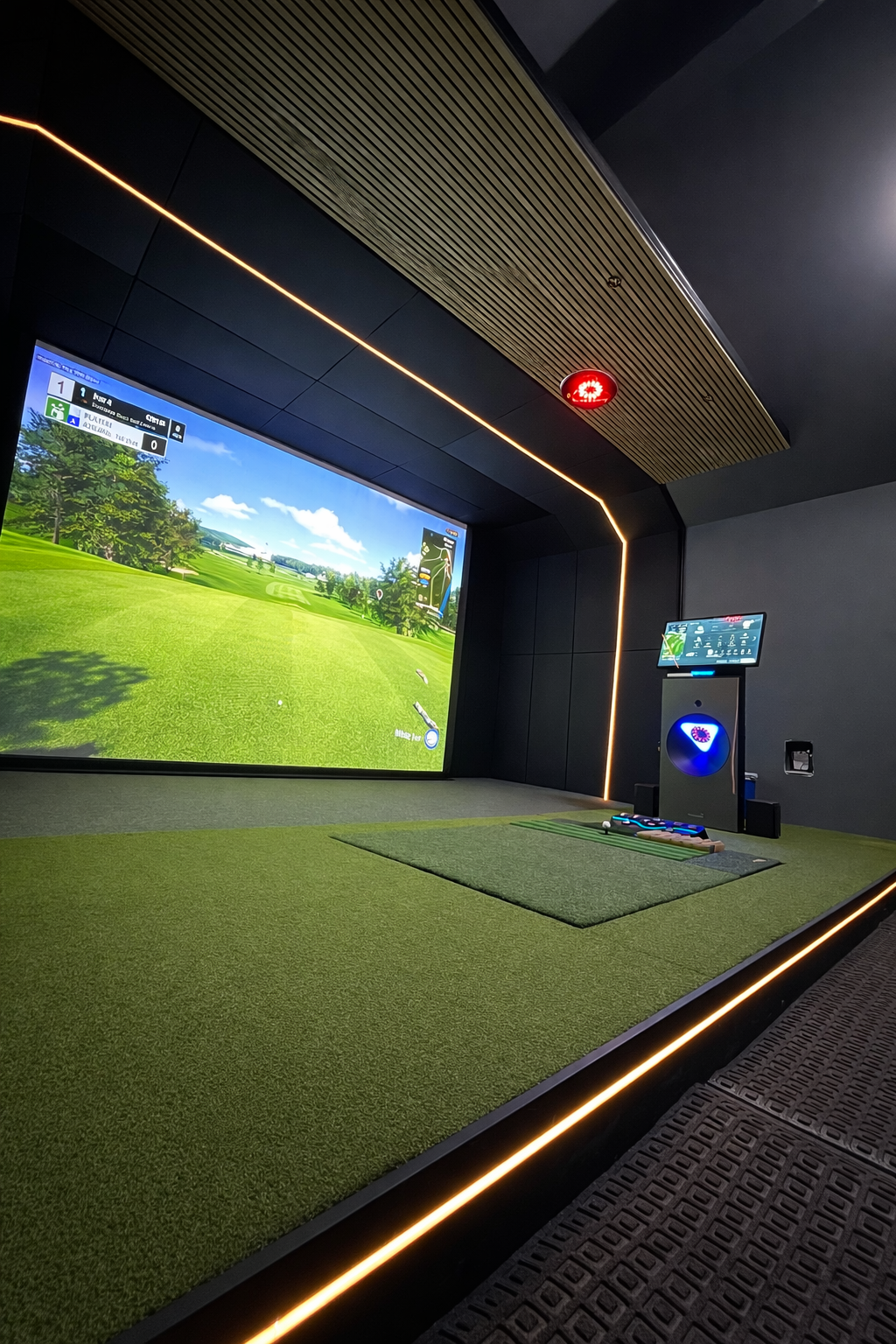
Permanent InstallCamera arrays mounted to the ceiling directly above the hitting area. Completely out of the way — no floor unit, no space behind the player. The cleanest aesthetic of any setup. Requires a permanent, dedicated installation.
What's good:
- No unit on the floor or behind the player
- Works flawlessly with left and right-handed players
- Consistent accuracy — never gets bumped or moved
- Best-in-class club data tracking
What to know: Requires professional installation and precise ceiling mounting. Not portable. Higher upfront cost. Needs a dedicated sim room.
Who it's for: Anyone building a permanent, high-end dedicated room who wants the cleanest setup possible.
Examples: Trackman iO, Uneekor Eye XO2, Foresight GCHawk
Our Picks by Budget
Garmin Approach R10
Radar-based, portable, pairs with a phone app. A legitimate entry point for casual golfers who want simulator capability without a major investment. Accuracy limitations are real — but for entertainment and basic practice, it works.
Foresight Sports GC3
Three-camera photometric system. Accurate, reliable, excellent software ecosystem (FSX Play, GSPro-compatible). A workhorse that performs well above its price point — our go-to recommendation for budget-conscious builds that still want real data.
ProTee VX
Where we spend the most time on mid-range residential builds. Camera-based accuracy that rivals systems at twice the price, no ongoing subscription for core software, and left/right-hand switching is seamless. The value case is genuinely hard to argue with.
Trackman iO / Foresight GCHawk
Where professional fitters and serious coaches live. These overhead ceiling-mounted systems track things consumer monitors don't — dynamic loft, attack angle, low point — at accuracy that genuinely changes how you practice. If you're a 2 handicap working with a coach, you'll feel the difference. If you're primarily playing courses on GSPro, you won't.
Do You Need Marked Balls?
This is a question people find out the hard way after they've already bought. The answer depends on your monitor type:
- Radar-based monitors indoors — yes, in most cases. Radar has a hard time reading spin on short indoor ball flights. You'll need either dotted stickers applied to balls, or Titleist RCT balls (which have an internal reflective marker). Add ~$20–$40/dozen for RCT balls as an ongoing cost.
- Photometric (camera-based) — generally no. These systems read the ball's dimple pattern and rotation directly through the cameras. Most premium balls work fine. Some systems like Foresight recommend specific high-contrast balls for best results, but it's not required.
- Overhead ceiling-mounted systems — no marked balls needed. These use multiple camera angles that give them more than enough data from any premium ball.
Software Compatibility — It Matters More Than You Think
The monitor gets the data. The software turns it into a round of golf. Make sure yours work together before you buy.
| Monitor | GSPro | E6 Connect | FSX Play | Notes |
|---|---|---|---|---|
| Garmin R10 | ✓ | ✓ | — | Via Bluetooth; some latency |
| Foresight GC3 | ✓ | ✓ | ✓ | Best with FSX Play natively |
| ProTee VX | ✓ | ✓ | ✓ | No subscription for core features |
| Uneekor Eye Mini/XO2 | ✓ | ✓ | — | Excellent GSPro integration |
| Trackman iO | ✓ | ✓ | — | Annual software license required |
| Foresight GCHawk | ✓ | ✓ | ✓ | Annual license required |
Also worth noting: some monitors carry annual subscription fees for their own software on top of the hardware cost. Trackman's software runs ~$2,000/year. Foresight's FSX Play subscription is ~$200–$600/year depending on tier. Factor this into the total cost of ownership, especially at the premium end.
How to Actually Decide
Three questions that cut through everything:
1. Will you ever use it outdoors? If yes, look at radar (Trackman 4, Full Swing KIT). If no, camera-based gives you better indoor accuracy for less money.
2. Is this a permanent room? If yes, overhead ceiling-mount (Eye Mini, Eye XO2, iO) gives the cleanest result. If you might move it, floor-based photometric.
3. Are you a serious player or a casual one? Serious players working on their game will notice the difference between a $3K and $10K monitor. Casual players playing rounds with friends will not. Be honest about which you are.
| Technology | Best For | Space Needed | Portable? |
|---|---|---|---|
| Photometric (floor) | Dedicated indoor, accuracy-focused | Standard | Yes (moderate) |
| Radar | Dual indoor/outdoor use | Large (needs depth) | Yes (highly) |
| Overhead (ceiling) | Permanent premium rooms | Standard | No |
For a full side-by-side data point comparison across every monitor we install — including every ball and club metric each system captures — see our Launch Monitors gear page.
Launch House Golf designs and installs custom golf simulators across the US. Veteran-owned. 200+ builds. 48 states.